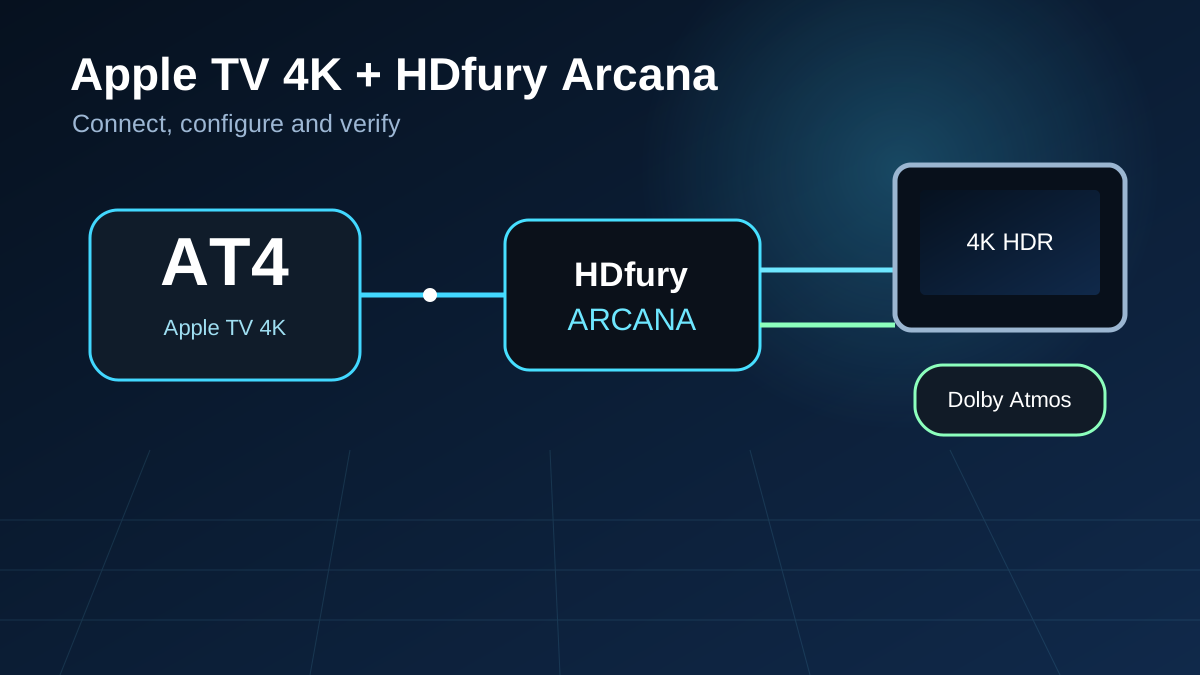
Apple TV 4K through HDfury Arcana for video and audio.
About this player
Why use Apple TV 4K with HDfury Arcana?
This streaming solution is often used for Netflix, Disney+, Apple TV+, Prime Video and other apps. Correct HDMI and audio settings prevent Dolby Atmos from being reduced to stereo or compressed audio.
HDfury Arcana extracts audio from the HDMI signal before a TV or projector can restrict it. A compatible soundbar or receiver can therefore receive the best available soundtrack while the video signal continues to the display.
After installation, verify that the TV reports the correct resolution and HDR mode.
Check the Sonos app or receiver display to confirm that Dolby Atmos or the intended surround format is received.
Only force EDID or scaling when the automatic configuration is not stable.
Two different connection methods
HDfury Arcana and Arcana 2 are not the same
Both models provide almost the same end result here. Arcana 2 is mainly useful when you require a second video output or HDMI audio output.
Also suitable
Setup with HDfury Arcana
Up to 18 Gbps · maximum 4K60
Apple TV 4KHDMI source
→
ArcanaSeparate audio and video
→
TV / projectorVideo
+
Soundbar / AVRAudio
Cable order: Apple TV 4K → Arcana HDMI IN → HDMI OUT to TV/projector + eARC to soundbar
Use this route when 4K60 is sufficient and you need one video output.
Also suitable
Setup with HDfury Arcana 2
Up to 40 Gbps · 4K120 · VRR · FRL5
Apple TV 4KHDMI source
→
Arcana 2Separate audio and video
→
TV / projectorVideo
+
Soundbar / AVRAudio
Cable order: Apple TV 4K → Arcana 2 HDMI IN → TX0 to TV/projector + eARC to soundbar
Use TX1/HDMI audio when a second display or HDMI receiver is required.
Key difference for Apple TV 4K
Both models provide almost the same end result here. Arcana 2 is mainly useful when you require a second video output or HDMI audio output.
Recommended configuration
Configure the player correctly first
Only use EDID, scaling or lip-sync corrections afterwards when the standard route demonstrably does not work.
V
Video settings
Video format4K SDR 50 Hz (EU) / 60 Hz (US)
Match Dynamic RangeOn
Match Frame RateOn
HDMI outputYCbCr; 4:2:0 or 4:4:4 with stable cables
A
Audio settings
Audio formatAutomatic
Dolby AtmosOn
Change setupOff
H
HDfury Arcana choice
Recommended modelArcana or Arcana 2
ArcanaMaximum 18 Gbps / 4K60
Arcana 2Up to 40 Gbps / 4K120 / VRR
EDIDStart with Automix / default profile
ScalingOff unless displays use different resolutions
In practice
What actually trips people up on this device
The settings above are the starting point. These are the things that most often go wrong on this specific device.
Menu path: Settings › Video and Audio
Leave Match Content on, but understand what it does
Match Dynamic Range and Match Frame Rate make the Apple TV switch output to suit the title instead of upscaling everything to one fixed mode. Each switch triggers a fresh HDMI handshake, which is why you see a brief black flash between titles. That flash is normal; if it turns into a permanent black screen, the handshake is failing and the cable or the display's port mode is the place to look.
Atmos is a separate setting from the audio format
Set Audio Format to Dolby Atmos rather than Stereo, and leave Change Format off unless you are debugging. The Apple TV sends Atmos inside Dolby Digital Plus, which any ARC or eARC chain can carry — so if your Sonos still reports plain Dolby Digital, the format was dropped downstream, not by the Apple TV.
4K SDR is usually the right base setting
Counterintuitive but correct: pick 4K SDR as the base format and let Match Dynamic Range switch to HDR per title. Forcing 4K HDR as the base makes tvOS convert SDR content to HDR, which looks washed out and gains you nothing.
Still not right? Work through the troubleshooting pages — no Atmos, eARC falling back, lip sync and a black screen at 4K120 are covered there step by step.
Quick choice
Which one should you choose?
Choose HDfury Arcana
When this player uses up to 4K60, you have one display and audio must be sent to an ARC/eARC soundbar.
Choose Arcana 2
When you need 4K120, VRR, HDMI 2.1, a second video output or a separate HDMI audio output.
Buy the HDfury Arcana or Arcana 2 at HDfury.eu
Current pricing, availability, payment and European delivery are handled centrally through HDfury.eu.