
Black screen at 4K120 or VRR on an HDfury Arcana
The image drops out, flickers, or 120 Hz is not offered at all. This is nearly always bandwidth - and bandwidth has four possible bottlenecks.
Does this match your symptoms?
- The screen goes black when you switch to 4K120 or enable VRR, but 4K60 is fine.
- The picture flickers or drops out during fast or bright scenes.
- The source refuses to offer 120 Hz as an option at all.
Fix it in this order
- Swap in an Ultra High Speed cable, between 2 and 4 metres of copper, on both the input and the output side.
- Check which HDMI port on the television supports 4K120. Most sets have only one or two, and they are rarely all the same.
- Check the source's video output setting actually offers the mode you expect, and that VRR is enabled on both source and display.
- For 4K120 at 4:4:4 10-bit with VRR you need the HDfury Arcana 2. The original HDfury Arcana is 18 Gbps; the manual lists 4K120 only at 4:2:0 8-bit, without VRR.
- Power everything fully off, then start the sound system, the HDfury Arcana, the display and the source last.
Which model do you have?
HDfury Arcana (18Gbps). This is the model difference that matters most. The HDfury Arcana is HDMI 2.0b at 18 Gbps and has no FRL signalling at all. The manual lists 4K120 only at 4:2:0 8-bit and 8K30 at 4:2:0 8-bit as maximum modes, and neither carries VRR. If your source is a PS5, an Xbox Series X or a gaming PC asking for 4K120 with VRR, no setting on this model will produce it — you need the Arcana 2.
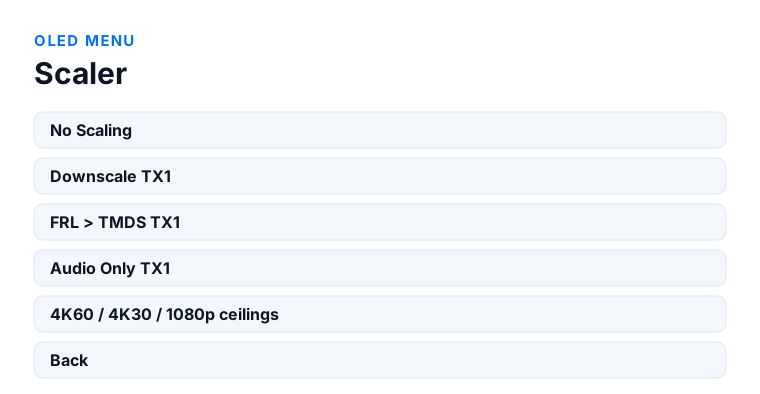
HDfury Arcana 2 VRR (40Gbps). HDMI 2.1 FRL5 up to 40 Gbps, which is what 4K120 at 4:4:4 10-bit with VRR requires. If you have this model and still get a black screen, the bandwidth is available and the fault is elsewhere: an Ultra High Speed cable between 2 and 4 metres, the right HDMI port on the television, VRR enabled on both source and display, and OLED menu → Scaler set to a mode your display can actually accept.
First, the question that settles half of these cases
The original HDfury Arcana is HDMI 2.0b at 18 Gbps. That is enough for 4K60, and it is not enough for a 4K120 FRL signal — not with a better cable, not with a different setting. If a PS5, an Xbox Series X or a gaming PC is trying to output 4K120 through an original Arcana, a black screen is the correct behaviour, and no amount of configuration will change it. That path needs the Arcana 2, which does FRL5 at 40 Gbps.
If you already have an Arcana 2 and still get a black screen, read on.
The cables
This is the single most common cause on an otherwise correct chain, and the most commonly dismissed. 4K120 with HDR and VRR is a genuinely demanding signal. What matters:
- Rating. Ultra High Speed HDMI, rated 48 Gbps. “4K” or “High Speed” on the packaging is not the same thing and will not carry FRL reliably.
- Length. Passive copper gets marginal beyond about three metres at these rates. Longer runs want an active optical cable.
- Every link in the chain. The HDfury Arcana 2 has a cable in and a cable out. One good cable and one old one gives you the old one's performance.
- Sharp bends. A tight bend behind a wall-mounted TV degrades a marginal cable enough to matter.
The fastest diagnostic here: temporarily drop the source to 4K60. If the picture returns, the chain works and the problem is bandwidth — which means cables, unless you are on the original Arcana.
The display's HDMI port setting
Nearly every TV ships with its HDMI ports in a reduced-bandwidth mode, and you have to enable the full mode per port. It is not on by default and it is easy to miss because the name gives no hint:
- Samsung — Input Signal Plus (in some model years: HDMI UHD Colour)
- LG — HDMI Deep Colour, sometimes shown as 4K@120 Hz
- Sony — HDMI signal format › Enhanced format
- Philips — HDMI Ultra HD, set to Optimal
- Panasonic — HDMI Auto / 4K signal format
Two things people trip over: the setting is per port, so enabling it on HDMI 1 does nothing for HDMI 3; and on many TVs only two of the four ports are full-bandwidth HDMI 2.1 in the first place. Check the manual for which ports those are.
The source
- PlayStation 5 — Settings › Screen and Video › Video Output. Leave Resolution, 120 Hz Output and VRR on Automatic, then run the built-in HDMI test, which reports what the chain actually negotiated.
- Xbox Series X — Settings › General › TV & display options. The 4K TV details screen there lists which formats the chain reports as available, which is diagnostic in itself.
- Gaming PC — check that the GPU driver is actually offering 120 Hz at the resolution you want, and be aware that DSC support varies between GPU generations.
Handshake and HDCP
HDMI negotiates once, at power-up, and a failed negotiation stays failed until you force a new one. After any change: everything fully off, then display first, HDfury Arcana second, source last. If the picture drops out only when protected content starts, that points at HDCP rather than bandwidth — the Arcana's OLED display shows the HDCP state on both ports, which tells you which side is refusing.
Try scaling as a diagnostic
The HDfury Arcana 2 can up- and downscale. Forcing a downscale to 4K60 on the output is a fast way to isolate the fault: if the picture is stable that way, the video path and the audio path are fine and you are looking squarely at a bandwidth limit on the output side.
When it works but flickers
Intermittent blackouts of a second or so during gameplay are usually VRR rather than bandwidth. Turn VRR off temporarily; if the flickering stops, you are looking at a VRR range mismatch between source and display rather than at the HDfury Arcana. Some displays also show this only within a specific refresh-rate window.
Frequently asked
What should I do if I have an HDfury Arcana (18Gbps)?
This is the model difference that matters most. The HDfury Arcana is HDMI 2.0b at 18 Gbps and has no FRL signalling at all. The manual lists 4K120 only at 4:2:0 8-bit and 8K30 at 4:2:0 8-bit as maximum modes, and neither carries VRR. If your source is a PS5, an Xbox Series X or a gaming PC asking for 4K120 with VRR, no setting on this model will produce it — you need the Arcana 2.
What should I do if I have an HDfury Arcana 2 VRR (40Gbps)?
HDMI 2.1 FRL5 up to 40 Gbps, which is what 4K120 at 4:4:4 10-bit with VRR requires. If you have this model and still get a black screen, the bandwidth is available and the fault is elsewhere: an Ultra High Speed cable between 2 and 4 metres, the right HDMI port on the television, VRR enabled on both source and display, and OLED menu → Scaler set to a mode your display can actually accept.
Can the original HDfury Arcana do 4K120?
Not as a full FRL chain. It is HDMI 2.0b at 18 Gbps. The manual does list 4K120 at 4:2:0 8-bit and 8K30 at 4:2:0 8-bit as maximum modes, alongside 1080p120 and 1440p120 - but those are chroma-reduced and carry no VRR. For 4K120 at 4:4:4 10-bit with VRR you need the Arcana 2.
My cable says 4K, is that good enough?
For 4K60, usually. For 4K120 with HDR and VRR, no. You want a cable certified Ultra High Speed at 48 Gbps, and preferably under three metres if it is passive copper.
Why does it work at 4K60 but not 4K120?
Because that is a bandwidth boundary. 4K60 fits in 18 Gbps; 4K120 needs FRL and considerably more headroom. Something in the chain - the HDfury Arcana model, a cable, or the TV's port mode - is capping you below it.
The picture flickers every few minutes. Bandwidth?
More likely VRR. Switch VRR off for a moment: if the flickering stops, it is a VRR range mismatch between source and display, not a capacity problem.
Do I need to enable something on my TV?
Almost certainly. Most TVs ship with HDMI ports in reduced-bandwidth mode and require the full mode to be switched on per port - Input Signal Plus on Samsung, HDMI Deep Colour on LG, Enhanced format on Sony.
Related
- HDfury Arcana vs Arcana 2 — bandwidth compared
- PlayStation 5 setup, Xbox Series X setup, gaming PC setup
- eARC not working
Which HDfury Arcana do you need for this?
The original Arcana is an 18 Gbps device. Some limited 4K120 modes fit inside that, but modern 10-bit HDR and VRR signals do not.
Checked against the official HDfury Arcana and HDfury Arcana 2 manuals and against firmware 0.88 and 0.25, August 2026.